
NEWS
Google Phone Puts the Contacts Tab Back After 13 Months
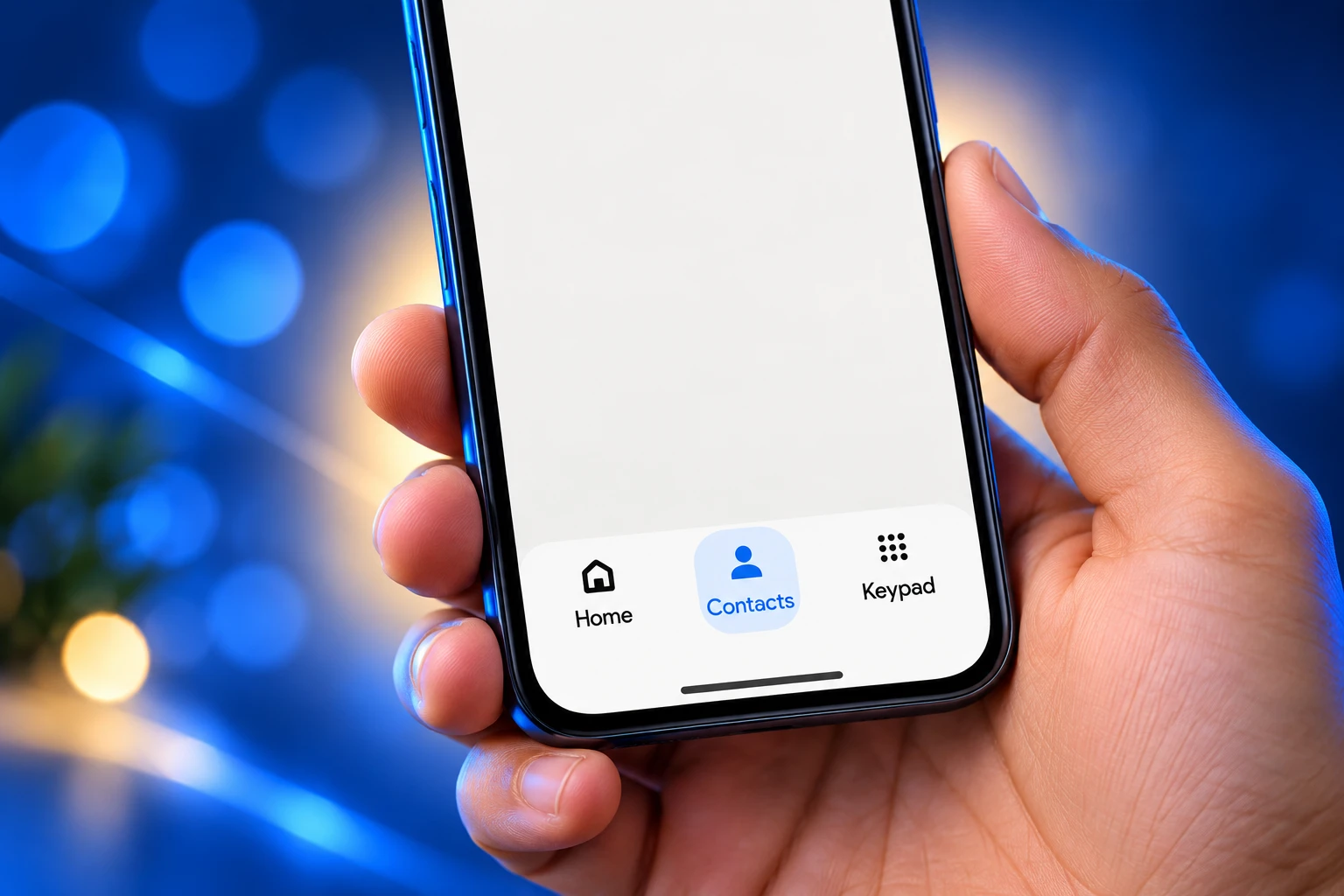
Phone by Google beta 240 puts Contacts back between Home and Keypad, reversing the August 2025 sidebar exile that fought Google’s own design rules.

Google is putting the Contacts tab back on the Phone app bottom bar, 13 months after it hid the list in a sidebar. The tab is showing up for some testers on Phone by Google beta 240, including a Pixel 9 on version 240.0.98.
Stable builds still keep Contacts behind the top-left menu. A chip under search looks like a shortcut and is not one.
August 2025 Buried Contacts Behind a Hamburger
The August 2025 Material 3 Expressive redesign, which reached stable users on version 186, cut the bar to Home, Keypad, and Voicemail. Contacts left the first screen of a phone app and moved into a navigation drawer opened from the search field.
That was the second cut in a few weeks. In July 2025 the standalone Favorites tab had already been folded into a carousel on what used to be Recents, then renamed Home. The floating dialer button went away too. Keypad became a center tab. Voicemail stayed put at the end, and only in countries that surface it.
On many phones that left a two-tab bar: Home and Keypad. Getting a number that was not already in recents meant opening the hamburger, hoping the Favorites row had the right person, or leaving the dialer for the separate Contacts app.
THE YEAR CONTACTS WENT MISSING
- June 24, 2025: Google describes a new bar of Home, Keypad, and Voicemail and says the Contacts list is coming off it.
- July 11, 2025: Home, Keypad, and a navigation drawer begin reaching beta users, with Contacts, Settings, Clear call history, and Help & feedback inside the drawer.
- August 21, 2025: The Material 3 Expressive Phone app layout rolls out widely on version 186.
- September 25, 2026: A hidden Contacts tab is enabled in beta 240.0.986973448, sitting between Home and Keypad.
- September 29, 2026: Testers on the GApps and Leaks Telegram page see the tab live; it appears on a Pixel 9 running 240.0.98 and stays off on other phones with the same beta.
- October 1, 2026: The drawer’s Contacts shortcut is gone in the new layout. Other routes to the list remain. The tab is still not widely on for testers.
Google’s public case for the 2025 bar was speed, not decoration. In a Phone app support note it said a flattened call log, with no nested repeats from the same number, would make history easier to read as one list. The same note said a horizontal swipe to answer or decline was preferred, based on user feedback, to stop pocket taps. It then bundled those changes with the new tabs and said the point of the three updates was to make the app easier to navigate and use.
The Contacts Chip Filters Calls, Not People
The list never left the app. Google just made it harder to open on purpose. Stable Phone by Google still offers several paths, and none of them is a one-tap tab on the bar.
WHERE CONTACTS LIVE ON STABLE
- The sidebar: The top-left menu opens Contacts, Settings, Clear call history, and Help & feedback.
- The chip: A Contacts chip under the search bar does not open the address book; it filters recents to saved people.
- The carousel: Starred people sit in a Favorites row at the top of Home, which only helps if you starred them.
- Search: The search field still finds names, then dumps you back into the same Home feed.
- The other app: Google Contacts remains a separate icon, so the full list is one app-switch away.
That chip is the part that still trips people. It wears the word Contacts and behaves like a recents filter. If you want Aunt Maria, who you have not called this month, the chip will not show her. You open the hamburger, or you leave the dialer.
Akshay Gangwar, who dug through the beta APK, said the restored tab sits between Home and Keypad and that the sidebar drops its Contacts row once the tab is on. He also said the new placement works as expected on a test device after the flag was forced on.
Material 3 Already Told Google to Drop Drawers
The hamburger was a fight with Google’s own design kit, not only with muscle memory. When Material 3 Expressive landed in May 2025, the kit deprecated the navigation drawer and told product teams to use an expanded navigation rail on larger screens instead.
The same guidelines warn against pairing a drawer with a bottom bar. Phone by Google did both. It put a short Expressive bar on the first screen and hid a top-level destination, the address book, behind a menu pattern the kit was retiring.
The goal of these three functional updates is to make the end-to-end app experience easier to navigate and use.
Google, Phone app support note, June 2025
A bottom bar is supposed to hold three to five main pages. Contacts is a main page in a dialer. Settings is not. The 2025 layout treated them as peers inside a four-item drawer, then left Home and Keypad looking sparse on phones with no Voicemail tab.
Other Google apps put overflow under a profile picture. Phone by Google still uses a three-line menu. That mismatch is why the reversal looks like a patch rather than a new idea: the tab is coming home, and the leftover menu has not been redesigned to match the rest of the company.
What the Beta 240 Bar Looks Like
In the new layout the order is Home, Contacts, Keypad, then Voicemail where the carrier supports it. Contacts is a full list again, not a filter chip and not a drawer row. The Favorites carousel stays on Home. Search stays. The chip and the starred row do not disappear; they just stop being the only decent doors.
HOW THE PHONE APP BAR CHANGED
| Layout | Bottom tabs | Where the full list lives |
|---|---|---|
| Older Phone by Google | Favorites, Recents, Contacts, Voicemail | Own tab |
| July 2025 trim | Recents, Contacts | Own tab; Favorites become a row |
| August 2025 stable (now) | Home, Keypad, plus Voicemail if supported | Sidebar, plus a recents filter chip |
| Beta 240+ (some testers) | Home, Contacts, Keypad, plus Voicemail if supported | Own tab; sidebar shortcut removed |
The teardown work was done in beta build 240.0.986973448, posted on APKMirror on September 28, 2026. The live Pixel 9 sighting a few days later was version 240.0.98, the shorter label for that 240 family. Same generation of the app, two different ways of writing the build, and still not a master switch for every tester who installs it.
A Sidebar With Almost Nothing Left in It
When Contacts returns to the bar, the drawer loses its one heavy destination. What remains is Settings, Clear call history, and Help & feedback. That is a menu with no daily job, sitting in the corner of an app people open to tap a name.
A Pixel community moderator looking at the teardown put the obvious next step in plain words: kill the sidebar and use a profile menu, because a mostly empty drawer looks unfinished. A software engineer in the same thread said the leftover hamburger still fails to follow Expressive, and that other Google apps already parked those items under a profile picture.
Google has not said it will do that. The October 1, 2026 description of the beta is narrower. The Contacts shortcut leaves the drawer. The other entries stay. The hamburger survives as a three-item junk drawer until someone redesigns it.
That is the cost of reversing one cut and leaving the scaffolding. The 2025 layout needed a drawer because Contacts had nowhere else to go. The 2026 layout does not need that drawer, and it is still there.
The Beta Install Is Not a Guarantee
Joining the Phone by Google public beta is how testers are seeing the tab, and it is not enough on its own. The Pixel 9 that showed version 240.0.98 had the tab. Other Android phones on the same beta did not. That is a server flag, not a missing APK.
THE 240 ROLLOUT IN FOUR LINES
- Family: Phone by Google beta 240+ is the channel, and it is still a slow turn-on.
- Live build: Version 240.0.98 showed the tab on a Pixel 9.
- Teardown build: 240.0.986973448 held the UI, and it had to be forced on.
- Stable: Home and Keypad, plus Voicemail where carriers support it, with Contacts still in the sidebar.
Sideloading the beta can put you in the pool. It cannot flip the flag. Google has not posted a stable date, and nothing in the first days of October 2026 showed the tab escaping that pool. Later 241 and 242 betas have already been uploaded; nobody has shown that they turn Contacts on by default, so they do not change the story yet.
If you are on stable and you want the list today, the honest path is still the hamburger, search, or the separate Contacts icon. Waiting for the tab is waiting for a flag, not for a Play Store version number.
The Dialer Is Still a Contacts App
People open Phone by Google to find a person, then call. Recents covers the last few. Favorites covers the handful you bothered to star. Everyone else lives in the list. Burying that list did not make Home faster. It made the second-most common job in the app take an extra tap, then another, then a guess at which fake Contacts control was the real one.
Google already ships a full Contacts app. The 2025 bar read as a nudge toward that split: the dialer for calls you already made, the other icon for the directory. Testers treating Phone as the directory never accepted the split. The beta tab is Google conceding the point without saying so.
The rest of the 2025 work is staying. Home still merges recents and the Favorites row. Keypad still replaces the old floating button. The swipe-to-answer gesture is still there. The flattened log is still there. Only the missing destination is coming back, which is the one change that should never have shipped as a simplification.
Until the flag is on for you, Contacts is still a sidebar item under a design system that told teams to stop using that sidebar. The tab between Home and Keypad is the fix. The empty hamburger is the part nobody has fixed.

Edinburgh Opens a 2027 Tour Built for Time Trials

Korda Maps Auður From Meðalland to Irvine Bay

Apple Music Films Its New Logo in Mineral Oil

Oppo Prices the Pad Mini Above India’s iPad Mini

Austen Soaks Scotland Before Boelo Brings Weekend Gales

Volkswagen Sells the Osnabruck Plant to Clear a Board Fight

Apple’s Foldable iPhone Hinges on Samsung Display Supply

Tata Motors’ Iveco Tender Opens as Holders Still Decide

Saksham Gaur Finds He Is His Own Company’s Client

Onimusha Way of the Sword Preload Hits a Windows 11 Wall
-
 AUTO2 months ago
Volkswagen Sells the Osnabruck Plant to Clear a Board Fight
-
 NEWS2 months ago
Apple’s Foldable iPhone Hinges on Samsung Display Supply
-
 AUTO2 months ago
Tata Motors’ Iveco Tender Opens as Holders Still Decide
-
 BUSINESS2 months ago
Saksham Gaur Finds He Is His Own Company’s Client
-
 GAMING2 months ago
Onimusha Way of the Sword Preload Hits a Windows 11 Wall
-

 BUSINESS2 months ago
Hyderabad 22-Carat Gold Jumps After a False Bargain
-

 ENTERTAINMENT3 years ago
What is SD on Amazon Prime? – All You Need to Know
-

 NEWS2 months ago
iQOO 16 Locks 8,400 mAh While 100W Charging Holds