
NEWS
Windows 11 26H2 Gives 8GB Laptops 1.7GB Back
Windows 11 26H2 cut 8GB idle RAM from 5.0GB to 3.3GB, a market-forced diet that still leaves Copilot+ at 16GB and Chrome fighting for the rest.

Windows 11 26H2 cut idle RAM on a used 8GB laptop from 5.0GB to 3.3GB after a restart. That 1.7GB drop is the first clear Task Manager win Microsoft had promised for cheap machines and had not put in a blog footnote.
Navjot Virk, corporate vice president of Windows experiences, said on October 15 that the memory work helps 8GB PCs most. The idle saving is real. It also arrived because memory prices pushed 8GB laptops back onto shop floors, and the three figures Microsoft quotes do not describe that 1.7GB.
An 8GB Laptop Dropped 1.7GB After 26H2
The machine is not a clean install. It has 8GB of DDR4 and a SATA SSD, and it already carries PyCharm, VS Code, GitHub Desktop, AutoCAD 2020 and SketchUp. Usable memory in Task Manager is 7.9GB. Before the update it ran Windows 11 25H2, build 26200.9550, and after a fresh restart it sat at 5.0GB in use, or 63%, and hovered there.
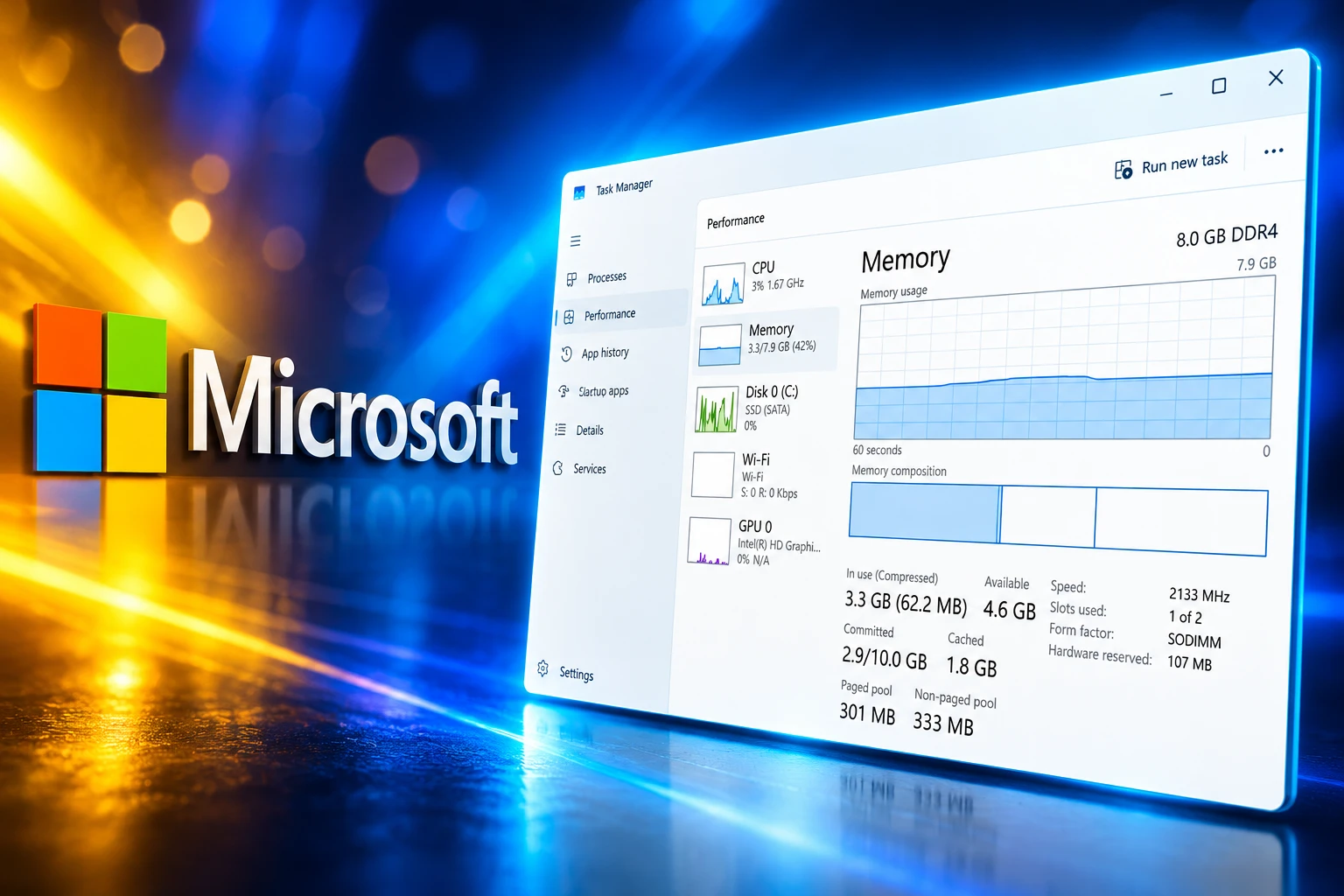
The September 2026 optional update moved it to 26H2, build 26300.9550, the same feature set as the October Patch Tuesday package. After another restart, in-use memory was 3.3GB, or 42%, with 4.6GB free. Switching Chrome tabs felt a little quicker on that one PC. There was no formal benchmark.
TASK MANAGER AFTER A RESTART
| Metric | 25H2 (26200.9550) | 26H2 (26300.9550) |
|---|---|---|
| In use | 5.0GB (63%) | 3.3GB (42%) |
| Available | 2.9GB | 4.6GB |
| Compressed | 324MB | 62.7MB |
| Committed | 4.8GB / 10GB | 2.9GB / 10GB |
| Paged pool | 633MB | 299MB |
| Non-paged pool | 508MB | 332MB |
Compressed memory collapsing from 324MB to 62.7MB is the tell that Windows had far less to squash after boot. Earlier checks on 16GB and larger PCs had already shown idle drops of about 1GB to 2GB, including up to 2GB less after a restart on a 16GB laptop, while one 8GB owner still saw 96% of memory in use. This used 8GB box finally moved.
A fresh 8GB virtual machine, built from a 25H2 ISO at build 26200.6899 from October 2025, idled at 4.1GB with no extra apps. After the jump to 26H2, build 26300.9711, idle use fell to 2.8GB and later sat around 3.2GB. That VM skipped a full year of patches, so 26H2 is not the only cause of the 1.3GB drop from 4.1GB to 2.8GB. The dirty laptop and the clean VM still point the same way: 8GB idle use is no longer stuck near 5.0GB.
Microsoft’s 2GB Claim Is a Different Number
Virk’s October 15 post is the first time Microsoft put figures on the 8GB work. The company says Windows 11 is up to 20% more responsive, that it can keep up to 2GB more active data in memory instead of sending it to slower storage, and that Widgets on PCs with 8GB or less now load only when opened, freeing more than 200MB.
Windows can now keep up to 2GB more of your active data in memory instead of moving it to slower storage, helping your PC stay responsive as you open more apps or browser tabs.
Navjot Virk, corporate vice president of Windows experiences, Windows Experience Blog, October 15, 2026
Those lines are easy to mash into one “Windows gave back 2GB” headline. They are three separate measurements, and only one of them is a Task Manager idle reading.
THREE NUMBERS, THREE JOBS
- The 20% claim: Microsoft timed Search, Start, right-click, Settings, Snipping Tool and File Explorer on build 26300.9550 against 25H2 build 26200.7628, and it also says Photos launches up to 20% faster on that same pair of builds.
- The 2GB claim: This is how much active work Windows tries to keep in RAM rather than in the page file, which is not the same as Task Manager showing 2GB less in use after a restart.
- The 200MB claim: Widgets no longer preload on 8GB or less, and that is the only saving Microsoft ties to a single feature, a slice far smaller than the 1.7GB idle drop on the used laptop.
A 20% snappier Start menu is Microsoft repairing a problem it spent years building, and it is not a 20% faster PC. The 1.7GB idle drop is much larger than Widgets, so the rest of the saving comes from quieter background work, a leaner memory allocator, and months of WinUI 3 and WebView2 trimming. Open the Discover MSN feed and memory use creeps back up, because that pane still lives in a web view. The lowest idle screenshots on 8GB machines still tend to appear after WebView2 and SearchHost are removed, which is not the default 26H2 install.
Why 8GB Machines Are Back in Stores
Pavan Davuluri, who leads Windows and Devices at Microsoft, said in May on the Inside Windows podcast that memory is “top of mind for us right now in the industry, especially as we look at the rising cost of memory for computers across the board.” He added that the Windows team has “clear efforts around driving better utilization of memory.” That is the reason 8GB is a product again, not a leftover SKU.
AI data centers have pulled DRAM wafer capacity toward high-bandwidth memory. On September 30, TrendForce said it expects conventional DRAM contract prices to grow 10-15% quarter on quarter in the fourth quarter of 2026, with NAND flash contracts up 15-20%. Notebook inventories are already carrying those costs into shop prices. Microsoft’s holiday PC post still advertises Windows machines from $249 and lists the HP OmniBook 3 among Core Essentials PCs for browsing, email and streaming.
8GB SKUS ON SALE
- Surface Laptop 13: Microsoft’s own 13-inch model now starts with 8GB at $949, a configuration the company spent two years treating as beneath an AI PC.
- HP OmniBook 3: Best Buy has listed the Snapdragon X, 8GB, 256GB model at $600, and Microsoft is pointing holiday shoppers at that Core Essentials class.
- Copilot+ floor: The AI badge still needs 16GB, so the 8GB wave is a cheaper, AI-stripped class sitting beside the machines Microsoft spent 2024 and 2025 selling as the future.
- DRAM still climbing: TrendForce’s 10-15% fourth-quarter rise comes on top of earlier 2026 jumps, which is why 8GB is the spec OEMs can still print on a price tag.
Lenovo is preparing 8GB IdeaPads that cannot carry the Copilot+ badge. Microsoft even pulled support pages that had recommended 32GB for gaming. For years the fix for a slow Windows PC was buy more RAM. The RAM is what got expensive, so the operating system had to shrink to match the hardware Microsoft and its cloud rivals helped make scarce.
Copilot+ Still Starts at 16GB
The 8GB diet does not reopen Microsoft’s on-device AI club. A Copilot+ PC still needs an NPU of at least 40 TOPS, plus 16GB RAM, 256GB SSD, and Windows 11 24H2 or newer. Recall, Cocreator and the rest of that local-AI set stay on the 16GB side of the aisle.
That split is now a shop-floor fact. Snapdragon X laptops launched in 2024 as 16GB Copilot+ machines. The same silicon now shows up in 8GB OmniBook 3s that Microsoft files under everyday browsing. Lenovo’s 8GB IdeaPads are labelled non-Copilot even when the chip is a Ryzen AI part that qualifies at 16GB. Buyers are not getting a smaller Copilot+. They are getting a Windows 11 PC that Microsoft has finally agreed to run on 8GB without eating 5.0GB before the first app launches.
Windows 11’s published minimum is still 4GB. Copilot+ set 16GB as the respectable floor. 26H2 is the awkward middle, an admission that a lot of 2026 volume will ship with half that memory and still be asked to run Chrome, Teams and a student IDE. 8GB is enough for Microsoft to put a Surface in a holiday ad. It is not enough to wear the badge the company spent two years making the point of a new PC.
The Savings Landed Across Months of Updates
26H2 is an enablement package. It shares its code with 24H2 and 25H2, which is why a year of quiet patches can look like one update. On July 31, Davuluri named memory optimization for 8GB and above as one of four new Windows focus areas through the end of 2026, after a March quality pledge that had not yet put 8GB in the window.
The same July note listed the plumbing: a more efficient memory allocator to cut overhead across apps and components, WinUI 3 tuning so apps use less memory by design, and leaner Chromium and WebView2 parts inside Windows. Widgets and Discover were split so the MSN feed does not sit in RAM until you open it. That is the 200MB. Native WinUI widgets would save more, and Microsoft has not shipped that cut.
HOW THE 8GB DIET WAS SCHEDULED
- March 2026: Davuluri commits to Windows quality, including a lower baseline memory footprint and faster core experiences.
- May 2026: On the Inside Windows podcast, he ties the work to the rising cost of memory and says the team is on the memory manager, compression, WinUI 3 and WebView2.
- July 31, 2026: Microsoft lists memory optimization for 8GB and above as a focus through year end, alongside onboarding, family features and voice.
- September 29, 2026: Windows 11 26H2 begins rolling out as an enablement package on top of the 24H2 and 25H2 code that already carried months of those fixes.
- October 15, 2026: Virk publishes the 20%, 2GB and 200MB figures, measured on build 26300.9550 against 26200.7628.
- October 21, 2026: A used 8GB DDR4 laptop shows the 5.0GB to 3.3GB idle drop that earlier 8GB checks had missed.
26H2 is also a cutoff for older Arm silicon, including Snapdragon 850 support after Windows 11 26H2, so the same package that trims RAM on new 8GB laptops is ending the road for some older machines. The memory work is not a single switch. It is a pile of allocator, shell and web-view changes that became visible once 26H2 turned the rest of the features on.
Chrome and Teams Still Fight for the Rest
Idle RAM is the easy screenshot. The job Davuluri named in July is a fast PC once Chrome, Teams and a couple of work apps are open, and Microsoft has not published that test on 8GB. The used laptop still has AutoCAD 2020 and SketchUp on a SATA SSD. Available memory after boot is 4.6GB, which is the entire working set for a browser, a chat client and a class project. Feel-a-bit-quicker tab switching on one machine is not a 20% claim.
Microsoft’s 2GB active-data line is the more honest pitch for that moment, because it is about not dumping live tabs into the page file when memory fills. It is also the claim you cannot see in Task Manager after a restart. An 8GB Surface at $949 and an 8GB OmniBook 3 at $600 now depend on that behaviour holding up under a school or office load, soldered RAM and all. When prices fall, those machines will still have 8GB.
The idle win is the first half of the job Microsoft posted on July 31. The second half is whether 3.3GB at the desktop still leaves enough room for the apps that made 16GB the default in the first place.

Edinburgh Opens a 2027 Tour Built for Time Trials

Korda Maps Auður From Meðalland to Irvine Bay

Apple Music Films Its New Logo in Mineral Oil

Oppo Prices the Pad Mini Above India’s iPad Mini

Austen Soaks Scotland Before Boelo Brings Weekend Gales

Volkswagen Sells the Osnabruck Plant to Clear a Board Fight

Apple’s Foldable iPhone Hinges on Samsung Display Supply

Tata Motors’ Iveco Tender Opens as Holders Still Decide

Saksham Gaur Finds He Is His Own Company’s Client

Onimusha Way of the Sword Preload Hits a Windows 11 Wall
-
 AUTO2 months ago
Volkswagen Sells the Osnabruck Plant to Clear a Board Fight
-
 NEWS2 months ago
Apple’s Foldable iPhone Hinges on Samsung Display Supply
-
 AUTO2 months ago
Tata Motors’ Iveco Tender Opens as Holders Still Decide
-
 BUSINESS2 months ago
Saksham Gaur Finds He Is His Own Company’s Client
-
 GAMING2 months ago
Onimusha Way of the Sword Preload Hits a Windows 11 Wall
-

 BUSINESS2 months ago
Hyderabad 22-Carat Gold Jumps After a False Bargain
-

 ENTERTAINMENT3 years ago
What is SD on Amazon Prime? – All You Need to Know
-

 NEWS2 months ago
iQOO 16 Locks 8,400 mAh While 100W Charging Holds