
NEWS
Gmail’s Copy Code Button Still Trails Its Own SMS App
Gmail now copies email one-time codes on Android and iOS, eight years after Messages, and still will not hand those digits to Gboard.

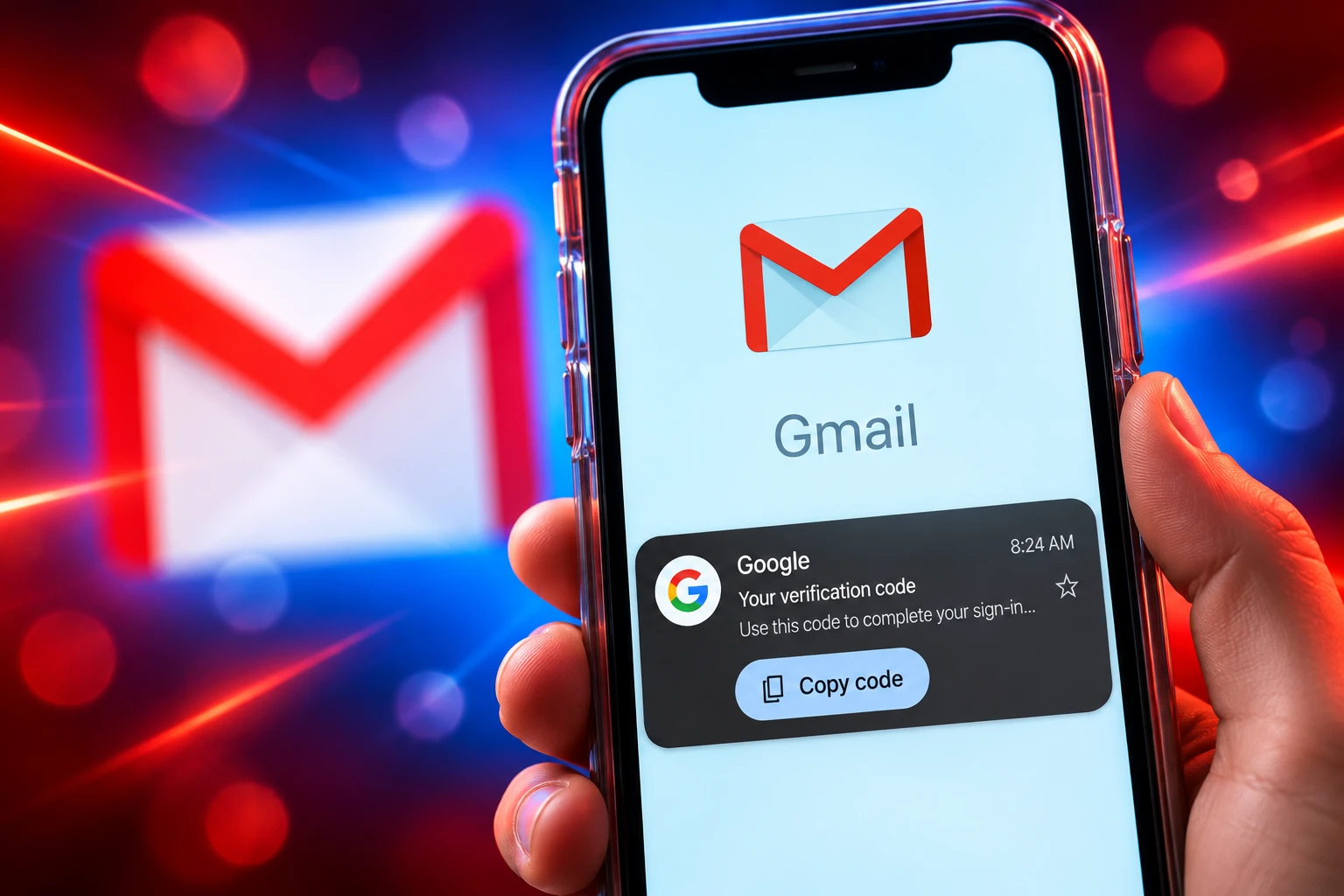
Gmail now puts a Copy code button on verification emails in its Android and iOS apps. The pill appears under the subject and dumps the one-time code on your clipboard. Google’s Messages app has offered that tap since 2018, and Gboard still will not fill an email code for you.
The shortcut is rolling out with the latest Gmail builds, not through a public Help article. It trims a clumsy login step. It also shows how far email codes still lag the SMS path Google already built.
A Pill Button Under the Subject Line
Open a one-time-password message and Gmail draws a small card below the subject with the digits and a Copy code control. Tap it and the number goes to the clipboard, so you can jump back to the login field and paste. Hands-on checks on September 19, 2026 saw the pill on store mail and banking mail.
The same control has started to show in the main inbox next to the message preview, in the strip Gmail already uses for image and file previews. That inbox chip is the part people will notice first, because it means you may not open the message at all. It also fails more often than the card inside the mail. Codes buried in other numbers, or laid out in an odd template, often never trigger it.
THE BUILDS THAT SHOW THE PILL
- Android app: Gmail version 2026.09.07.x is where testers first saw the button.
- iPhone app: Gmail version 6.0.260907 carries the same control.
- Gmail on the web: The shortcut is not on the web, so desktop logins still mean highlight, copy, paste.
- Notifications: Android mail alerts do not get the chip; you still open the app.
Update the Gmail app if the pill is missing. Google is shipping it as a silent mobile rollout, so some accounts on those builds still will not see it for a while.
Messages Learned This Trick in 2018
The Gmail button copies a pattern Android users already know from texts. On May 11, 2018, Android Messages 3.2.038 began parsing SMS one-time passwords and offering a one-tap copy control in the thread and in the notification. That cut the old dance of opening the text, memorizing six digits, and typing them before the code expired.
Two years later Google went further. In February 2020, builds tied to Play services 20.04.12 and Messages 5.5.096 started offering Autofill code from Messages, so the digits could land in the field instead of the clipboard. Play services also exposes automatic SMS verification without extra permissions through the SMS Retriever API, which can finish a phone-number check without a READ_SMS prompt when the sender includes an app hash.
HOW EMAIL CODES TRAILED TEXTS
- May 11, 2018: Android Messages 3.2.038 adds a copy shortcut for SMS two-factor codes in notifications and threads.
- February 2020: Messages and Play services begin suggesting those SMS codes as autofill in the login field.
- 2023: iOS 17 and iPadOS 17 let Apple Mail feed emailed codes to the keyboard the way SMS codes already worked.
- 2025: iOS 26 extends that keyboard suggestion to third-party mail apps, Gmail included.
- September 19, 2026: Gmail’s own app starts showing Copy code on Android and iOS, 8 years 4 months after Messages shipped the SMS version.
Gmail is now doing the 2018 step for mail. It is not doing the 2020 step. The digits still stop on the clipboard.
iPhone Keyboards Already Fill Email Codes
On iPhone the new Gmail control overlaps a system feature Apple has been widening for years. iOS can automatically fill in one-time verification codes from Mail, and it can delete those messages after Autofill if you turn on Delete After Use under Autofill & Passwords. iOS 26 then taught the keyboard to pull codes from third-party mail apps such as Gmail, so a suggestion can appear above the keys without opening the Gmail app at all.
That is a different, shorter path than Copy code. Apple’s keyboard offer stays in the login screen. Gmail’s pill sends you into Gmail, or at least onto the inbox list, then back to the other app to paste. For iPhone users who already run iOS 26, the Gmail button is a backup for messages the system does not parse, not a new top-speed login.
Apple also asks senders to bind SMS codes to a domain, so Autofill will not suggest a code to the wrong site. Those domain-bound one-time SMS codes put the site name and a hash on the last line of the text. Gmail’s new mail pill has no equivalent check. It copies whatever it thinks is the code and leaves you to paste it into whichever field is in front of you.
WHERE THE CODE GOES ON EACH SURFACE
| Surface | Code arrives as | What you tap | Keyboard fills the field |
|---|---|---|---|
| Gmail app, 2026.09.07.x / 6.0.260907 | Email one-time password | Copy code pill in the inbox or in the message | No, clipboard only |
| Google Messages, since 2018 | SMS one-time password | Copy code in the notification or thread | Yes, after 2020 autofill |
| iOS 17 Apple Mail | Email one-time password | Suggestion above the keyboard | Yes |
| iOS 26 Gmail and other mail apps | Email one-time password | System suggestion from the notification or mail app | Yes, when iOS spots the pattern |
| Gmail on the web | Email one-time password | Manual highlight | No |
The table is the whole product gap. Gmail finally matches the old Messages copy tap on phones, and it still trails every path that puts the number on the keyboard.
Why Gmail Still Skips Gboard
Gmail’s Copy code path still needs you to open the Gmail app, tap the pill, switch to the login, and paste. Gboard will not offer the emailed digits as a suggestion, which is the step Messages already handles for SMS. Google has not said a keyboard hook is coming.
That leftover hop is small until a code is about to expire, or until you are bouncing between a banking app and a cluttered inbox. SMS codes on Android can move from the notification shade into the field. Email codes still demand a clipboard round trip even after this update.
THE STEPS EMAIL STILL ADDS
- Open Gmail: The inbox chip is flaky, so many codes still require the message view.
- Tap Copy code: That is the new part, and it is faster than highlighting digits by hand.
- Leave the app: The login you need is almost never inside Gmail.
- Paste: Gboard does not suggest the emailed number the way it can suggest an SMS code.
Play services already has an SMS Code Autofill path for keyboards and browsers, including a retriever that looks back about a minute and then waits up to about five minutes for a new text. None of that plumbing is wired to Gmail’s mail parser. The new button is an inbox feature, not a platform one.
The September Voice Rollout
Copy code arrived in the same app that had just grown a Gemini voice layer. On September 3, 2026, 16 days before testers saw the pill, Google began rolling out Gmail Live on Android and iOS for Google AI Plus, Pro, and Ultra plans in English. The Live icon in search lets you talk through the inbox instead of typing keywords. Docs Live and Keep Live shipped in the same wave after a debut at I/O 2026 in May.
The clipboard pill has nothing to do with that voice stack. It is a parser and a button. People who have seen it talk about polish, the daily tap that makes the app feel finished, more than another Gemini overlay. Gmail spent early September teaching the inbox to speak, then shipped a control Messages had in 2018.
Both can live in the same app. The order still reads oddly. The hard login friction, the one that hits anyone with a store account or a bank code, got the quieter release, with no blog post and no Help page ranking for the feature name.
Odd Formatting Still Hides the Code
Gmail has to guess which number in a message is the code. Senders who follow a plain “your code is 123456” pattern are the easy case. Senders who bury the digits in a receipt, a long marketing footer, or a mix of order numbers often get no pill. The in-message card is the reliable half. The inbox preview is the lottery.
WHAT WE KNOW
- Platforms: The button is in the Gmail apps for Android and iOS on versions 2026.09.07.x and 6.0.260907, and it is not on the web.
- Action: A tap copies the parsed digits to the clipboard; it does not submit them to the login for you.
- Senders: Store and banking messages have triggered it in early tests.
WHAT IS UNCONFIRMED
- Gboard: Google has not said the keyboard will ever suggest emailed codes.
- Web and alerts: There is no timeline for Gmail.com or for Android notification actions.
- Parser rules: Google has not published the templates or digit patterns that turn the pill on.
Until those rules are public, the feature will feel random. One bank mail copies in the list. The next one, with a different template, forces you back into the old highlight-and-hope routine.
Google’s Own Advice Prefers a Prompt
Google’s account security pages already treat typed codes as the slower, weaker option. For Google accounts, the company tells people to prefer passkeys or on-device prompts over a number that arrives by SMS or voice. It still supports those codes. It also warns that they can be attacked through the phone number.
It’s easier to tap a prompt than enter a verification code. Prompts can also help protect against SIM swap and other phone number-based hacks.
Google Account Help, Turn on 2-Step Verification
That guidance sits next to a Gmail feature that makes emailed codes slightly less annoying. The pill does not change how those codes protect an account. It does not bind the number to the site you are signing into. It does not stop a phishing page from asking you to paste whatever Gmail just copied. It just shortens the trip from inbox to field.
Google’s Help pages already steer people toward Google prompts instead of typed codes when a passkey is not in play. Copy code is a concession to the many shops, banks, and tools that still mail a number and wait. You still have to open Gmail, tap the pill, switch apps, and paste.

Edinburgh Opens a 2027 Tour Built for Time Trials

Korda Maps Auður From Meðalland to Irvine Bay

Apple Music Films Its New Logo in Mineral Oil

Oppo Prices the Pad Mini Above India’s iPad Mini

Austen Soaks Scotland Before Boelo Brings Weekend Gales

Volkswagen Sells the Osnabruck Plant to Clear a Board Fight

Apple’s Foldable iPhone Hinges on Samsung Display Supply

Saksham Gaur Finds He Is His Own Company’s Client

Tata Motors’ Iveco Tender Opens as Holders Still Decide

Onimusha Way of the Sword Preload Hits a Windows 11 Wall
-
 AUTO2 months ago
Volkswagen Sells the Osnabruck Plant to Clear a Board Fight
-
 NEWS2 months ago
Apple’s Foldable iPhone Hinges on Samsung Display Supply
-
 AUTO2 months ago
Tata Motors’ Iveco Tender Opens as Holders Still Decide
-
 BUSINESS2 months ago
Saksham Gaur Finds He Is His Own Company’s Client
-
 GAMING2 months ago
Onimusha Way of the Sword Preload Hits a Windows 11 Wall
-

 ENTERTAINMENT3 years ago
What is SD on Amazon Prime? – All You Need to Know
-

 BUSINESS2 months ago
Hyderabad 22-Carat Gold Jumps After a False Bargain
-

 NEWS2 months ago
iQOO 16 Locks 8,400 mAh While 100W Charging Holds