
NEWS
Anker’s $99.99 Hub Still Needs a Wall Charger
Anker’s 10-in-1 USB-C hub is $99.99 with HDMI 2.1, yet it still needs a 100W charger and mirrors both screens on a Mac.

Anker’s Desktop USB-C Hub, a 10-in-1 USB-C hub with a 2-inch screen, is selling in the US for $99.99. It went live on September 15, 2026 through Anker’s store and Amazon, in Iron Gray and Starlight Silver.
The box does not include a charger. A 100W PD input yields 80W for the laptop, and on macOS both external monitors show the same picture.
Ten Ports on a 330-Gram Upright Brick
The US listing calls it the Anker Desktop USB-C Hub, model A210C, and listed the hub at $99.99 with 80W host charging. Japan saw it first in May 2026 as the Nano USB-C Hub (10-in-1, 240Hz, Display) at ¥16,990. The American unit stands 5.12 × 1.97 × 2.19 in (130 × 50 × 55.6 mm) and weighs 11.64 oz (330 g), which is a desk brick, not a dongle.
Anker puts the ports people touch on the front and sends the rest out the back so cables drop off the desk. The front holds a 10 Gbps USB-C port plus SD and microSD 3.0 slots. The rear holds the 100W USB-C PD input, one 10 Gbps USB-A port, two 5 Gbps USB-A ports, Gigabit Ethernet, HDMI 2.1, and DisplayPort 1.4. The host link is a separate uplink cable, not one of the ten.
PORTS ON THE A210C
| Location | Port | Limit |
|---|---|---|
| Front | USB-C | 10 Gbps, data only |
| Front | SD and microSD 3.0 | Card reader |
| Rear | USB-C PD in | 100W input |
| Rear | USB-A | 10 Gbps, data only |
| Rear | Two USB-A | 5 Gbps each, data only |
| Rear | HDMI 2.1 and DP 1.4 | Video out |
| Rear | Ethernet | Gigabit |
Anker’s spec sheet counts four USB ports in that set, which matches the front USB-C plus three USB-A sockets. The PD-in jack is power, not another data lane. The USB-A ports and the front USB-C port do not charge a phone or drive a monitor.
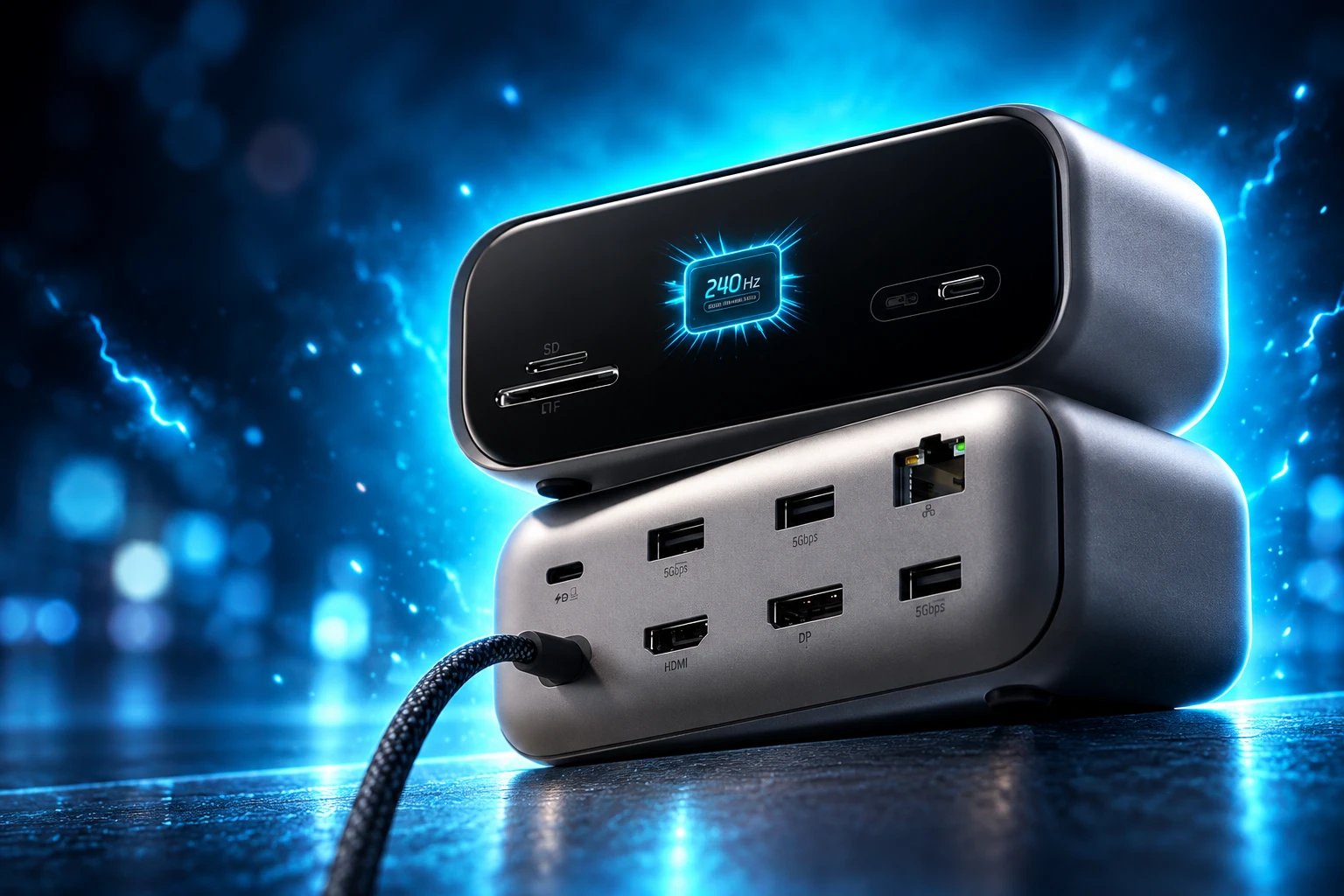
The Hub Still Needs a 100W Wall Charger
Anker’s own notes say the charger is not included and that a 65W or higher USB-C charger is the floor for best results. Without a brick, the hub pulls power from the laptop just to stay awake. That is the opposite of the “save wall outlets” line that followed the product onto retail pages.
Feed it 100W and the laptop still sees 80W, because the hub keeps 20W to run its own radios, video chip, and screen. Plenty of thin Windows boxes are fine at 80W. A 16-inch notebook that wants 100W or 140W will charge slower, or not at all under load, while the hub sits there drawing its cut.
POWER SPLIT ON A 100W BRICK
- Wall input: 100W USB-C Power Delivery into the rear jack.
- Laptop output: 80W passthrough to the host, per Anker’s listing.
- Hub overhead: 20W stays in the dock (100W minus 80W).
- Floor Anker names: 65W charger for best performance; no charger means the laptop feeds the hub.
Anker unveiled the matching answer on the same IFA stage: the Laptop Charger Pro, a 100W GaN brick with its own tiny display, due in the US in October for $59.99. Buy both and the “$99.99 hub” is a $159.98 kit, and the notebook still tops out at 80W through the dock. Plugable’s USBC-10IN1E, a travel 10-in-1 that launched at $74.95, takes 140W in and gives the host 125W, with 2.5Gb Ethernet and no screen. Different shape, higher watt budget, lower launch price.
What Dual 4K and 240 Hz Require
The video claim is why the price looks sharp. Anker’s IFA 2026 charging lineup in Berlin called this the only dual-display high-refresh hub with a smart display, and posted single-display output up to 4K at 144 Hz or 2K at 240 Hz, plus dual-display output up to 4K at 120 Hz or 2K at 240 Hz. HDMI 2.1 is the pipe that makes 4K at 120 Hz a standard mode, with a full HDMI 2.1 bandwidth of 48 Gbps on the spec.
The live product page is stricter than the stage line. Dual 2K at 240 Hz needs a host USB-C port that speaks DisplayPort 2.1 with DSC 3:1. Video leaves only through HDMI and DisplayPort. USB-C monitors are out. The laptop also has to offer Power Delivery plus DisplayPort 1.2, 1.4, or 2.1, and either USB4 or Thunderbolt 3, 4, or 5. Windows 10, Windows 11, and macOS are listed. That is a short list of ports, not “any USB-C stick.”
HOST CHECKLIST FOR 240 HZ
- Video out: HDMI 2.1 and DisplayPort 1.4 only; no USB-C monitor path.
- Dual 2K at 240 Hz: Host must support DP 2.1 with DSC 3:1.
- Link: USB4 or Thunderbolt 3, 4, or 5, plus PD on the same jack.
- Data cap: 10 Gbps across the hub, shared with the card readers.
A 10 Gbps USB-C hub is still a USB-C hub. Thunderbolt docks in the CalDigit class keep 40 Gbps of headroom and usually ship a power supply. This unit trades that headroom for a $99.99 sticker and a screen.
Mac Buyers Get a Mirrored Pair
Anker’s dual-display pitch splits by operating system. Windows can extend the desktop across the two external panels. macOS cannot. Both HDMI and DisplayPort screens show identical content, so a Mac user who wanted a spreadsheet on one side and a preview on the other is paying for a clone. Linux is not supported at all.
On macOS, both external monitors will display identical content. This device is not compatible with Linux.
Anker, Desktop USB-C Hub product notes
That note sits on the same page that sells “dual display support.” It is not a firmware teaser. It is how the video chip hands frames to macOS. Anyone docking a MacBook for two real desktops still needs Thunderbolt, DisplayLink, or a second native port on the machine.
A 2-Inch Panel Sells Themes and Timers
The 2-inch TFT is the part no $40 hub has. Anker says it can show charging power, transfer rate, temperature, which ports are busy, and the monitor’s resolution and refresh. It also runs a focus timer, break reminders, and custom wallpapers, with extra controls in a web dashboard and an app. A snap-on magnetic base tilts the screen; the adhesive pad is washable and reusable, with grip that varies by desk surface.
The same status idea already ships on the Anker Prime Docking Station DL7400, a 14-in-1 DisplayLink dock with 140W to the laptop and a $299.99 list price. The A210C is about a third of that sticker and drives native HDMI and DisplayPort instead of DisplayLink. It does not include a power supply, and it does not do three screens.
Once a hub has a color panel, the panel becomes a storefront. Anker’s hub campaign already hangs a VALORANT limited edition on the same chassis, with agent themes on the built-in display and a matching look on the 100W charger. The 240 Hz refresh on a two-inch status widget is overkill for a watt meter. It is the right spec if the job is smooth animation and paid skins.
DATES BEHIND THE A210C
- May 27, 2026: Anker previews the Nano USB-C Hub in Japan, model A210C, at ¥16,990 for a fall launch.
- September 3, 2026: Anker presents the hub in its IFA charging set at Hall 2.2, Booth 101, Messe Berlin, at $99.99 for the US.
- September 15, 2026: The Desktop USB-C Hub goes on sale in the United States through Anker and Amazon, with Iron Gray in stock.
- October 2026: The Laptop Charger Pro, a 100W GaN brick at $59.99, is due in the US.
European store pages were still empty when the US listings went live. Japan’s wait continues on local forums for a “Space Station” 10-in-1 under the Anker Japan name.
Anker Is Selling Both Ends of the Cable
IFA was also the week Anker folded eufy, soundcore, SOLIX, and eufyMake under one master name, split into Anker For You and Anker For Home. The company, founded in 2011, says it serves more than 200 million customers in over 180 countries. Chargers built the brand. Docks now sit next to those chargers so one receipt covers the brick and the port expander.
The hub campaign page even pairs the hub with a 100W charger and walks through Care Mode, the software that Anker says can stretch laptop battery life by up to 40% with an 80% cap on supported machines. That 40% figure is Anker’s claim; the company has not published the test protocol. The charger is a single USB-C GaN adapter, about 62 by 55 by 34 mm, with a 90-degree folding plug and a screen of its own. It is a tidy upsell sitting one click from the dock that refuses to work at full power without it.
THREE ANKER DESK PRODUCTS
| Product | Price | Power to laptop | What is in the box |
|---|---|---|---|
| Desktop USB-C Hub (A210C) | $99.99 | 80W | Hub and magnetic base; charger sold apart |
| Laptop Charger Pro | $59.99 | 100W at the wall | 100W GaN brick, due October in the US |
| Prime Docking Station DL7400 | $299.99 | 140W | 14-in-1 dock plus AC cord |
The $99.99 row is the one that will move units. HDMI 2.1, DisplayPort 1.4, a card reader, and a status screen at that price undercut Anker’s own Prime dock and most metal Thunderbolt boxes. The asterisks travel with it: 80W, no brick, mirrored Mac desktops, 10 Gbps, Gigabit rather than 2.5Gb Ethernet, and a host that must already speak USB4 or Thunderbolt.
Frequently Asked Questions
What is the model number of the Anker Desktop USB-C Hub?
Anker’s US product page files it as model A210C. Early Japan materials used the longer name Nano USB-C Hub (10-in-1, 240Hz, Display) for the same chassis before the American listing shortened it to Desktop USB-C Hub.
How long is the cable that connects the hub to a laptop?
Anker’s IFA note puts a 700-millimeter uplink cable on the hub so the brick can sit away from the computer. That lead is part of the desk layout, not one of the ten numbered ports.
What return window does Anker list for the hub?
The US store lists a 30-day money-back guarantee, free shipping, and lifetime customer support on the A210C page, alongside the usual hassle-free warranty language Anker prints on charging gear.
Does the magnetic base leave residue on a desk?
Anker describes the pad as residue-free, washable, and reusable, then warns that grip varies by surface. The base snaps on to tilt the 2-inch screen and is meant to stay on the desk, not ride in a bag.
Which laptop brands does Anker name as compatible?
The spec block names Dell, HP, Lenovo, and MacBook families, plus other machines with full-function USB-C, USB4, or Thunderbolt 3, 4, or 5. Compatibility still depends on Power Delivery and DisplayPort alt mode on that single host port.
Iron Gray is in stock on Anker’s US store with estimated delivery in 3 to 7 business days. Starlight Silver is listed beside it on Amazon. The $59.99 Laptop Charger Pro is still marked for October in the United States.

The BMW iX4 Undercuts Mercedes and Trails Its Twin

Scotland’s Ten Big Supermarkets Already Hold the Weekly Shop

Scotland EMS Faces a State Probe After a Wagram Death

Meritz Signs Ripple to Race Korea’s 2027 Token Rules

Pocognoli’s First Camp Leaves Scotland Third and Exposed

Volkswagen Sells the Osnabruck Plant to Clear a Board Fight

Tata Motors’ Iveco Tender Opens as Holders Still Decide

Saksham Gaur Finds He Is His Own Company’s Client

Onimusha Way of the Sword Preload Hits a Windows 11 Wall

Apple’s Foldable iPhone Hinges on Samsung Display Supply
-
 AUTO2 months ago
Volkswagen Sells the Osnabruck Plant to Clear a Board Fight
-
 AUTO2 months ago
Tata Motors’ Iveco Tender Opens as Holders Still Decide
-
 BUSINESS2 months ago
Saksham Gaur Finds He Is His Own Company’s Client
-
 GAMING2 months ago
Onimusha Way of the Sword Preload Hits a Windows 11 Wall
-
 NEWS2 months ago
Apple’s Foldable iPhone Hinges on Samsung Display Supply
-

 ENTERTAINMENT3 years ago
What is SD on Amazon Prime? – All You Need to Know
-

 AUTO2 months ago
Simple Wave Chases Range as Ather Konarc Cuts Price
-

 NEWS2 months ago
iQOO 16 Locks 8,400 mAh While 100W Charging Holds