
NEWS
Googlebook OS Borrows Mac Gestures to Land Android Users
Googlebook OS uses Mac-like window swipes so Gemini, Play apps, and phone handoff can carry the product, with five laptops from $899.

Dieter Bohn posted a September 22 video of Googlebook OS that looks like macOS windowing. Bohn, a former journalist now at Google, flicks three or four fingers up for an overview of open apps, drags a title bar to the side to split the screen, and drags it to the top for full screen.
Google is shipping those Mac habits so the remaining work can sit on Gemini, Play Store apps, and the Android phone already in a buyer’s pocket. Five partner laptops go on sale from $899.
How Googlebook OS Handles App Windows
Googlebook OS manages windows with a three- or four-finger swipe up, title-bar drags, and a square key that matches Android’s recents button. The laptops run Android underneath a ChromeOS-style shelf, and they treat web apps and large-screen Android apps as peers in the same overview.
Bohn’s clip is the first official look at that windowing in daily use. He had a video export running, another file downloading for offline playback, and about a dozen Android and web apps ready to jump into.
Wondering how windowing and apps work on Googlebook? Here's a quick look at how I was using mine last night: editing a video, downloading another for offline viewing, and more. A dozen or so apps (Android and web) at the ready 💻💪 pic.twitter.com/SIF0ziqbJa
— Dieter Bohn (@backlon) September 22, 2026
On a Mac you swipe up with four fingers to open Mission Control, or you can set a three-finger swipe in Trackpad settings. Googlebook accepts three or four fingers for the same overview, and it also maps that view to the square key so a Chromebook or Pixel user never has to learn a new control.
GOOGLEBOOK GESTURES AGAINST THE MAC AND WINDOWS
| Move | Googlebook OS | macOS | Windows |
|---|---|---|---|
| Overview of open apps | Three or four fingers up, or the square recents key | Four-finger swipe up for Mission Control, with a three-finger option | Task View, often Win+Tab |
| Split the screen | Drag a window’s title bar to the side | Drag a window to the side | Snap layouts to the side or a corner |
| Full screen | Drag a window’s title bar to the top | Drag a window to the top | Maximize; full-screen is app-specific |
| Extra desktops | Multiple desktops that share one taskbar | Spaces that share the Dock | Virtual desktops that limit taskbar icons to the active desktop |
| Move between desktops | Trackpad swipe; finger count not yet confirmed | Four-finger swipe left or right, with a three-finger option | Four-finger swipe on supported precision trackpads |
The overview and the title-bar drags are the part anyone who has used a Mac will feel in their hands. The square key is the part that belongs to Android. Bohn also cycles desktops with the trackpad, though he never names the swipe, so the three-finger left-right guess still has to wait for a full review unit.
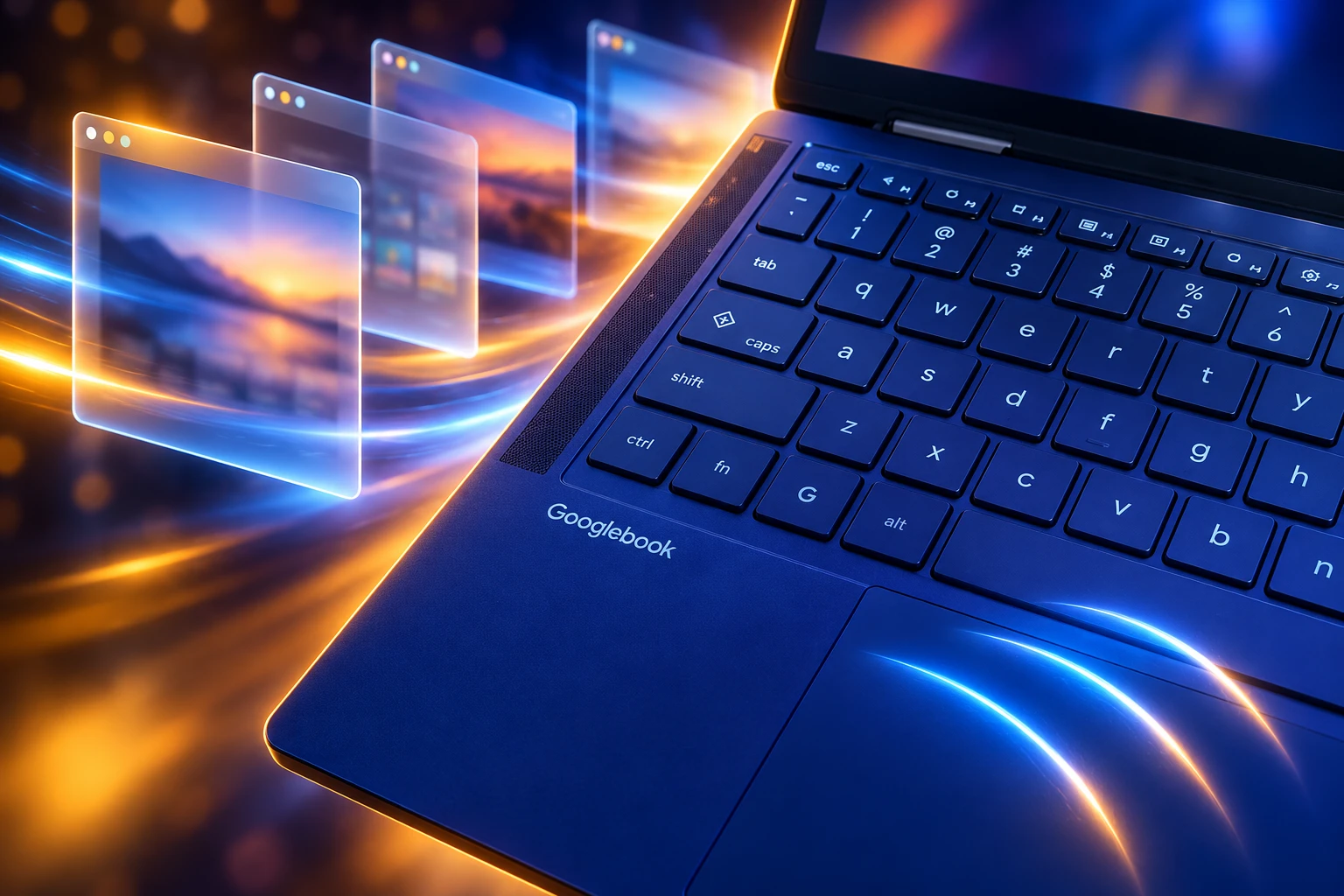
The Shared Taskbar Follows the Mac Pattern
Full-screen apps on Googlebook OS can hide the taskbar, which is the right call for games and video. The more revealing choice is that every desktop still shows the same taskbar, rather than hiding icons that live on another space.
That is how macOS Spaces work, and it is not how Windows virtual desktops work. Android’s own desktop design already tells developers to expect free-form windows and multiple desktops, so Google is not inventing a new window manager for these machines. It is picking the version of that manager that laptop buyers already have in muscle memory.
Sameer Samat, president of the Android ecosystem at Google, put the target in plainer words when pre-orders opened. “Our initial focus with Googlebook is to deliver an amazing laptop that feels awesome for Android phone users,” he wrote. Windowing that feels like a Mac is how you get a phone user through the first hour without teaching a new desktop religion.
Magic Pointer Is the Feature Google Wants Remembered
If the gestures are borrowed, the cursor is the thing Google is trying to own. Alexander Kuscher, senior director of laptops and tablets, has been blunt about why.
The mouse pointer? That thing seems pretty stupid.
Alexander Kuscher, senior director of laptops and tablets, Google
Magic Pointer is the answer he shipped. You wiggle your cursor to bring Gemini onto whatever text or image is under it. Google says the tool stays off until that wiggle, and you can kill it in settings if the twitch becomes noise. Hands-on units also let you retune the sensitivity, or bind the same call to the old Caps Lock key.
WHAT GEMINI DOES ON THE DESKTOP
- Magic Pointer: Point at a training plan, a suspect email, or a set of photos and ask Gemini to schedule the runs, check for spam, or combine the images without extra downloads.
- Rambler: Speak a messy brief and get headers, checklists, and cleaned-up copy, including a mid-sentence language switch.
- Create My Widget: Describe a countdown or a scoreboard in plain language and drop a live widget on the desktop.
- Gemini Spark: Close the lid while a longer job keeps running in the background.
Kuscher’s other line about the pointer is the one that explains the haptic trackpads. Google did not want a clever Gemini cursor sitting on a pad that could not keep up, so every Googlebook except the Acer 360 convertible uses a glass haptic trackpad. The convertible is the cheap fold-back model, and it is the one machine where those Mac-like swipes will feel ordinary.
Five Googlebook Models Start at $899
Google skipped a Pixel-branded laptop and handed the first wave to Acer, ASUS, Dell, HP, and Lenovo. John Solomon, vice president and general manager of laptops, tablets, and Android Enterprise, said each machine uses aluminum, magnesium alloy, or carbon fiber, with touchscreens up to 2.8K OLED, backlit keyboards, Intel or Qualcomm chips, and NPUs rated above 45 TOPS. Samat listed 16GB of RAM as the standard floor and battery life of up to 14 hours.
LAUNCH LINEUP AND STARTING PRICES
| Model | Display | Chip | Starting price |
|---|---|---|---|
| Acer Googlebook 14 | 14-inch 2.8K OLED, 360 convertible | Intel Core Ultra | $899 |
| Dell XPS Googlebook | 13.4-inch 2.5K LCD | Snapdragon X Elite | $1,199 |
| ASUS Googlebook 14 | 14-inch 2.8K OLED | Intel Core Ultra | $1,299 |
| HP Googlebook 14 | 14-inch 2.8K OLED | Snapdragon X Elite | $1,299 |
| Lenovo Googlebook 15 | 15.3-inch 2.8K OLED | Intel Core Ultra | $1,299 |
Those prices sit next to a MacBook Air, not next to a school Chromebook. Every unit includes 12 months of Google AI Pro with 5TB of storage, plus three months of YouTube Premium and Adobe Photoshop. Google also bundles a year of GeForce NOW and promises OS feature drops for up to 10 years.
THE ROAD TO GOOGLEBOOK OS
- May 12, 2026: Google previews the laptop platform at I/O without a public OS name, after an internal project known as Aluminium OS.
- September 21, 2026: The company names Googlebook OS, opens pre-orders, and shows five partner machines.
- September 22, 2026: Bohn posts the windowing walkthrough that maps the gestures onto macOS habits.
- October 4, 2026: Devices arrive on U.S. shelves October 4.
- October 5, 2026: Stores open in Canada, the U.K., Ireland, France, Germany, and Australia.
The Glowbar on the lid still lights up at boot, sweeps to show charge, and plays a short animation when you talk to Gemini. Under the sheet metal, Google is using the same Titan hardware root of trust as ChromeOS, plus a Level 5 security-certified pKVM hypervisor that isolates a full Linux terminal for tools such as Claude Code and Antigravity CLI.
Cast My Apps Puts Phone Software on the Desk
The window manager gets you in. The phone is why Google thinks you stay. Sign-in copies passwords, Wi-Fi networks, and messages from the Android handset with end-to-end encryption. Continue On then parks a phone task on the laptop taskbar, Files browses photos still sitting on the handset, and Cast My Apps streams a phone app into a desktop window for a delivery order or a one-time login code.
That is the companion Chromebooks never quite became, even after they gained a Play Store. Googlebook OS is Android, so the handoff is a system feature rather than a bridge between two operating systems. Quick Settings and notifications live in the top-right corner the way they do on a Pixel, widgets sit on the desktop, and the app drawer is the Pixel launcher stretched across a 14-inch panel.
The catch inside that familiarity is first-party software. Launch units open Gmail and Calendar as Play Store web wrappers, Trusted Web Activities, rather than the Android apps. Google is letting each team pick web or native, and Workspace picked the web. The desktop Chrome browser still gets extensions, vertical tabs, and the Gemini side panel, so the web path is not a demotion. It does mean a new laptop OS can ship without a native Gmail client of its own.
The Quick Insert Key Replaces Caps Lock
Rambler lives next to a Quick Insert key that took Caps Lock’s seat. One press opens clipboard history, emoji, recent screenshots, translation, and the voice dump in a single floating strip, a ChromeOS power-user menu reduced to one key. The square recents key sits on the same row of special keys Bohn’s video keeps hitting, which is why the Acer board looks busy even before Magic Pointer enters the room.
Google has not said whether the desktop will show ads at setup or on the home screen, a fair question given how Chromebooks have been sold since 2011. It also has not locked the finger count for flipping between desktops. Those gaps sit next to a windowing model that is already legible to anyone who has used a Mac, which is the trade Google made.
The October 4 units will show whether Magic Pointer, Rambler, and phone casting are enough once the novelty of a three-finger overview wears off. Until the boxes show up, the windowing language is the part of Googlebook OS that needs the least explaining.

Edinburgh Opens a 2027 Tour Built for Time Trials

Korda Maps Auður From Meðalland to Irvine Bay

Apple Music Films Its New Logo in Mineral Oil

Oppo Prices the Pad Mini Above India’s iPad Mini

Austen Soaks Scotland Before Boelo Brings Weekend Gales

Volkswagen Sells the Osnabruck Plant to Clear a Board Fight

Apple’s Foldable iPhone Hinges on Samsung Display Supply

Saksham Gaur Finds He Is His Own Company’s Client

Tata Motors’ Iveco Tender Opens as Holders Still Decide

Onimusha Way of the Sword Preload Hits a Windows 11 Wall
-
 AUTO2 months ago
Volkswagen Sells the Osnabruck Plant to Clear a Board Fight
-
 NEWS2 months ago
Apple’s Foldable iPhone Hinges on Samsung Display Supply
-
 AUTO2 months ago
Tata Motors’ Iveco Tender Opens as Holders Still Decide
-
 BUSINESS2 months ago
Saksham Gaur Finds He Is His Own Company’s Client
-
 GAMING2 months ago
Onimusha Way of the Sword Preload Hits a Windows 11 Wall
-

 ENTERTAINMENT3 years ago
What is SD on Amazon Prime? – All You Need to Know
-

 BUSINESS2 months ago
Hyderabad 22-Carat Gold Jumps After a False Bargain
-

 NEWS2 months ago
iQOO 16 Locks 8,400 mAh While 100W Charging Holds