
Microsoft has begun rolling Windows 10 taskbar habits back into Windows 11, almost five years after stripping them out of the operating system at launch. The shift, pushed to the Experimental channel of the Windows Insider Program (the pre-release branch Microsoft uses for features that may never reach Stable) on May 15, lets testers anchor the taskbar to the top, left, right, or bottom of the screen, shrink it to a compact height, and reshape the Start menu in ways that have been impossible since the 2021 redesign. Build 26300.8493 carries the changes, the same release that widens Fluid Dictation to additional languages.
Two of the most-requested companions are still inside Microsoft’s design lab. Diego Baca, design director on the Windows team, told the Windows Insider blog post on taskbar and Start changes that the company is evaluating drag-and-drop repositioning and per-monitor taskbar placement, neither of which made the May cut.
What Microsoft Just Restored to the Taskbar
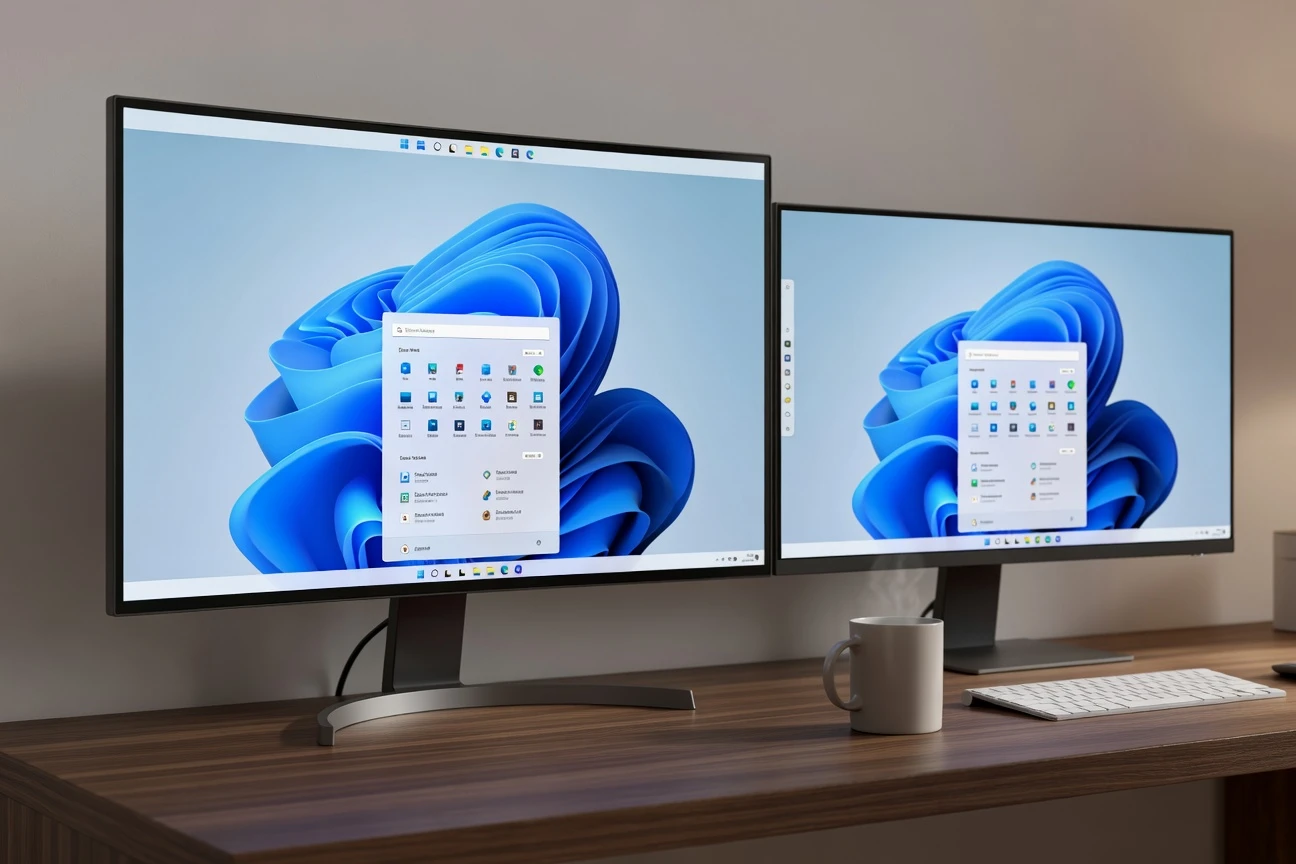
The May 15 build hands back four taskbar abilities Windows 10 owned outright. Testers can pin the bar to any edge of the screen, with the Start button and flyouts opening relative to that placement. Icon alignment follows the orientation: top-aligned or centered for vertical bars, left-aligned or centered for horizontal ones.
A new “Small” setting under Settings, Personalization, Taskbar, Taskbar behaviors compresses icons and shaves the bar’s height to roughly the proportions Windows 10 shipped with. Both controls live inside the Experimental channel only, the riskiest tier of the Windows Insider Program, and Microsoft has not committed to a Stable rollout window.
| Feature | Windows 10 | Windows 11 at launch | Build 26300.8493 |
|---|---|---|---|
| Move to top, left, or right edge | Yes | No | Yes |
| Smaller taskbar height | Yes | No | Yes |
| Drag and drop to reposition | Yes | No | Under evaluation |
| Different position per monitor | No | No | Under evaluation |
| Right-click app cascade | Yes | Removed | Still gated |
For mainstream users, none of this exists in the consumer release yet. The path from Experimental to Stable can stretch months, and Microsoft has pulled Experimental features in the past, including a tabbed File Explorer iteration that was scrapped and rewritten before reaching general availability.
The 2021 Strip Job Finally Catches Up
When Windows 11 launched in October 2021, Microsoft rewrote the taskbar from scratch and dropped most of its customisation. Gone were top, left, and right placement, manual height adjustment, drag-and-drop app pinning, the right-click cascade menu, and the option to drop a file onto a taskbar icon to open it in that app. Power users called it a downgrade within weeks of release, and forum threads tracking the regression list ran into the tens of thousands of posts.
Microsoft’s own explanation, published in a 2021 video, leaned on the engineering cost of supporting flexible orientations.
When you think about having the taskbar on the right or the left, all of a sudden, the reflow and the work that all of the apps have to do to be able to have a wonderful experience in those environments is just huge.
That framing came from a staff Microsoft developer interview shortly after Windows 11 shipped. The company has not publicly addressed what changed in the cost calculation since, only that the restored layouts are now “one of the most requested features” per the Insider blog. Drag-and-drop file pinning returned in 2022 after sustained pressure. The rest of the lost features sat untouched for the next four years.
Five Levers Land on the Start Menu
The Start menu draws the bulk of the Insider build’s surface-area changes. Five distinct controls arrive at once, and together they reverse a year of complaints about the adaptive layout that shipped in November.
- A Small and Large resize toggle that overrides the adaptive sizing tied to display resolution, a behaviour users flagged as occupying more than 80% of small-screen real estate.
- A rename of the Recommended feed to Recent, along with a stop on promoted third-party apps such as WhatsApp and Opera that had been seeded into the section.
- Section-level toggles that let users hide Pinned, Recent, or All apps individually, so the menu can be reduced to a list of installed apps or to pinned tiles alone.
- A separate switch for file recommendations, which previously turned off File Explorer’s recent files and taskbar jump-list recents in the same click; the new control isolates the Start surface.
- A toggle to hide the user’s profile picture and display name from the Start menu, aimed at presentations, live streams, and screen shares where identity should not leak.
The rename is the most consequential of the five. The slot used to broker space for promoted third-party apps, and Microsoft’s note on the change says file ranking will now favour frequency of use over algorithmic surfacing. “We are refining which files appear and how they are ordered to reduce less relevant items and better reflect what you have been working on,” the company wrote. The wording stops short of confirming the section will never carry promoted placements again, but the new label leaves little room for surprise reinsertions.
Per-Monitor Plans Still on the Bench
The two features the design team has not committed to are also the two that draw the loudest forum requests: dragging the taskbar with the mouse to reposition it, and setting different taskbar positions on different monitors. Both are listed in the Insider post as under evaluation. The phrasing matches how Microsoft described smaller-taskbar support a year ago, which has now landed.
Per-monitor placement would actually exceed Windows 10’s bar, which only supported the same orientation on every connected display. Multi-monitor users currently route around the gap with third-party utilities such as Start11 and ExplorerPatcher, both of which break with each Insider build and require a paid licence in Start11’s case. A first-party answer would close that workaround market.
Drag-and-drop, by contrast, would simply restore parity with Windows 10. Baca said the team is balancing the request against what he called “accidental taskbar movement,” a complaint from non-technical users whose bar ended up sideways without their meaning to move it. “Our focus is to deliver the core functionality you need while keeping the experience simple, predictable, and free from accidental taskbar movement,” he wrote.
Why the Climb Down Lands This Month
The timing tracks a sharp shift in the Windows install base. As of February 2026, Windows 11 holds 72.57% of desktops worldwide according to StatCounter’s Windows desktop version share data, against 26.45% still on Windows 10. That gap has widened by roughly 22 percentage points in two months.
Most of that migration was not voluntary. Windows 10 reached end of consumer support on October 14, 2025, and the majority of users moved because new hardware shipped with Windows 11 preinstalled rather than because they wanted to. The split is also regional. In Europe, Windows 11 holds 52.37% to Windows 10’s 45.16%, and in Asia, Windows 10 still leads at 49.81% to 47.17%.
For the forced migrants, the missing taskbar habits have been the loudest specific complaint, ahead of the Copilot key on new keyboards and ahead of the Settings split between legacy Control Panel and the new app. Restoring them now is the cheapest goodwill Microsoft can buy before the slower-moving holdouts make their next decision on hardware refresh.
What the Holdouts Get and What They Still Don’t
The Insider build is a partial restoration, not a full undo. The two-step toggle between Small and Large is less flexible than the analog resize handle Windows 10 offered, and pinning a custom height is not on the menu. Right-click cascade behaviour is still gated, the full taskbar overflow indicator has not returned, and the system tray clock still lacks the seconds display Windows 10 surfaced through a single registry switch.
What did return arrived through the Experimental channel, which means none of these controls are guaranteed to reach Stable. Microsoft has pulled features at later flighting stages before, and the build number 26300.8493 is several versions ahead of the current Stable cumulative.
If drag-and-drop and per-monitor placement reach Stable before the broader autumn feature window, Windows 11 will close the most-cited regression on its launch ledger. If they slip into the next release cycle, the Windows 10 grievance list outlasts Windows 10 itself, and the third-party shell modders keep a market Microsoft could have taken back this month.